#Introduction
Docker images are built for specific CPU architectures. A standard docker build normally produces an image for the platform on which the builder runs. That works until the image is deployed to hardware with a different architecture.
Apple Silicon and ARM-based cloud servers make amd64 and arm64 compatibility a common concern. A multi-architecture image solves it by publishing a native image for each target architecture behind one tag.
This post first reproduces the mismatch, then builds and inspects a multi-architecture image.
#Reproduce the Single-Architecture Problem
#Create a Test Application
Use this small Go program to print the operating system and architecture it is running on.
// main.go
package main

import (
    "fmt"
    "runtime"
)

func main() {
    fmt.Printf("Hello from %s/%s!\n", runtime.GOOS, runtime.GOARCH)
    fmt.Printf("This process is running on: %s\n", runtime.GOARCH)
}
Create a Dockerfile alongside it:
FROM golang:1.19-alpine AS builder
WORKDIR /app
COPY main.go .
RUN go build -o app main.go

FROM alpine:latest
RUN apk --no-cache add ca-certificates
WORKDIR /root/
COPY --from=builder /app/app .
CMD ["./app"]
#Build and Inspect the Image
docker build -t myapp:single-arch .
docker image inspect --format '{{.Architecture}}' myapp:single-arch
The second command reports the image architecture. On an x86_64 machine, it will usually be amd64; on Apple Silicon, it will usually be arm64. In either case, this image contains only one platform variant.
#Run It on a Different Architecture
When an amd64 image runs on an ARM host, Docker may use emulation if the host supports it. Otherwise, the container fails to start. A typical emulation warning and output look like this:
WARNING: The requested image's platform (linux/amd64) does not match
the detected host platform (linux/arm64/v8) and no specific platform
was requested
Hello from linux/amd64!
This process is running on: amd64
The container works, but it is not running natively. Emulation can slow CPU-intensive workloads, and it is an avoidable deployment risk.
#Building Multi-Architecture Images
Multi-architecture images package separate platform variants under one image tag. Docker then selects the native variant for the host that pulls it.
#Create a Buildx Builder
Check the available builders, then create and start one that supports multi-platform builds:
docker buildx ls
docker buildx create --name multiarch-builder --driver docker-container --use
docker buildx inspect --bootstrap
The docker-container driver supports multi-platform builds. Its images are not automatically added to the local image store, so pushing them to a registry is the usual output for this workflow.
#Build and Publish Both Architectures
Replace <your-namespace> with your registry namespace:
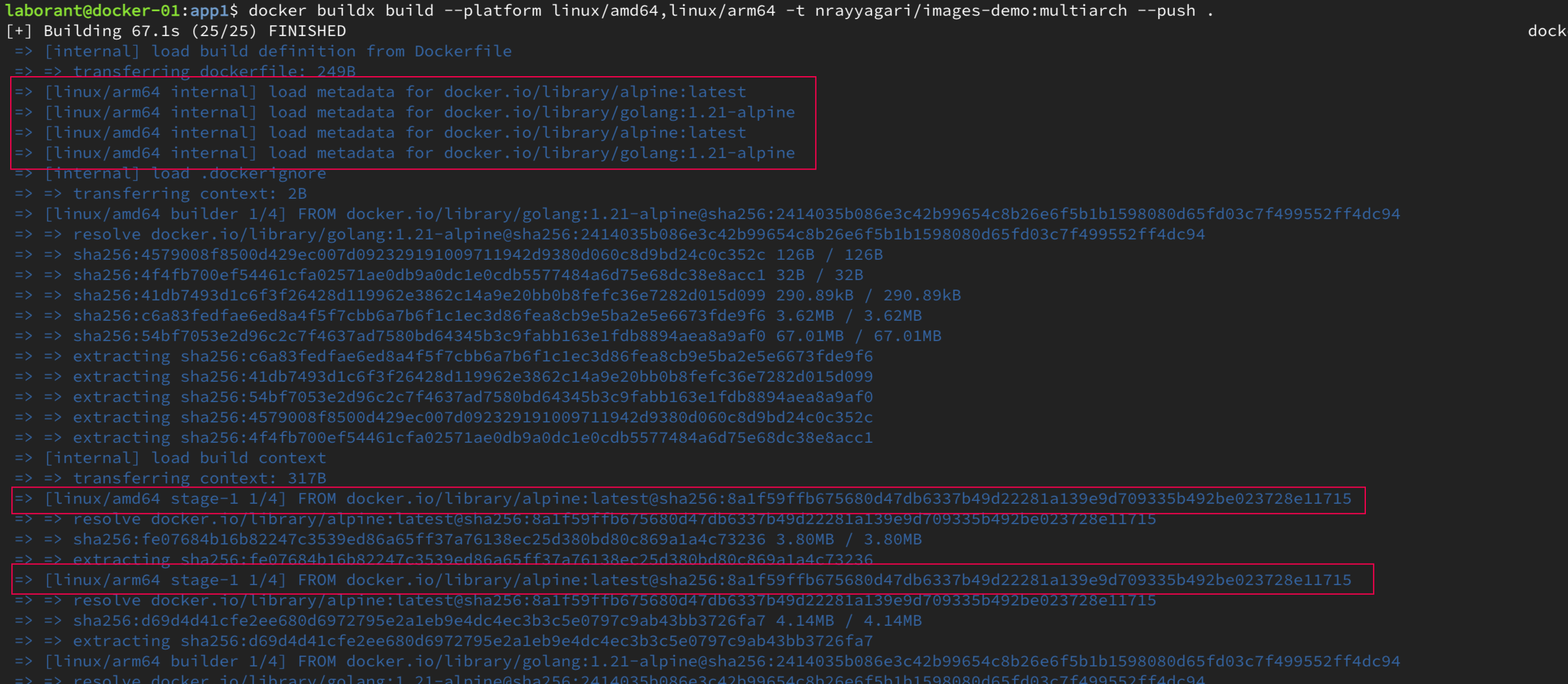
docker buildx build \
  --platform linux/amd64,linux/arm64 \
  -t docker.io/<your-namespace>/myapp:multiarch \
  --push .
This command:
- builds the same Dockerfile for
linux/amd64andlinux/arm64 - creates a complete image for each architecture
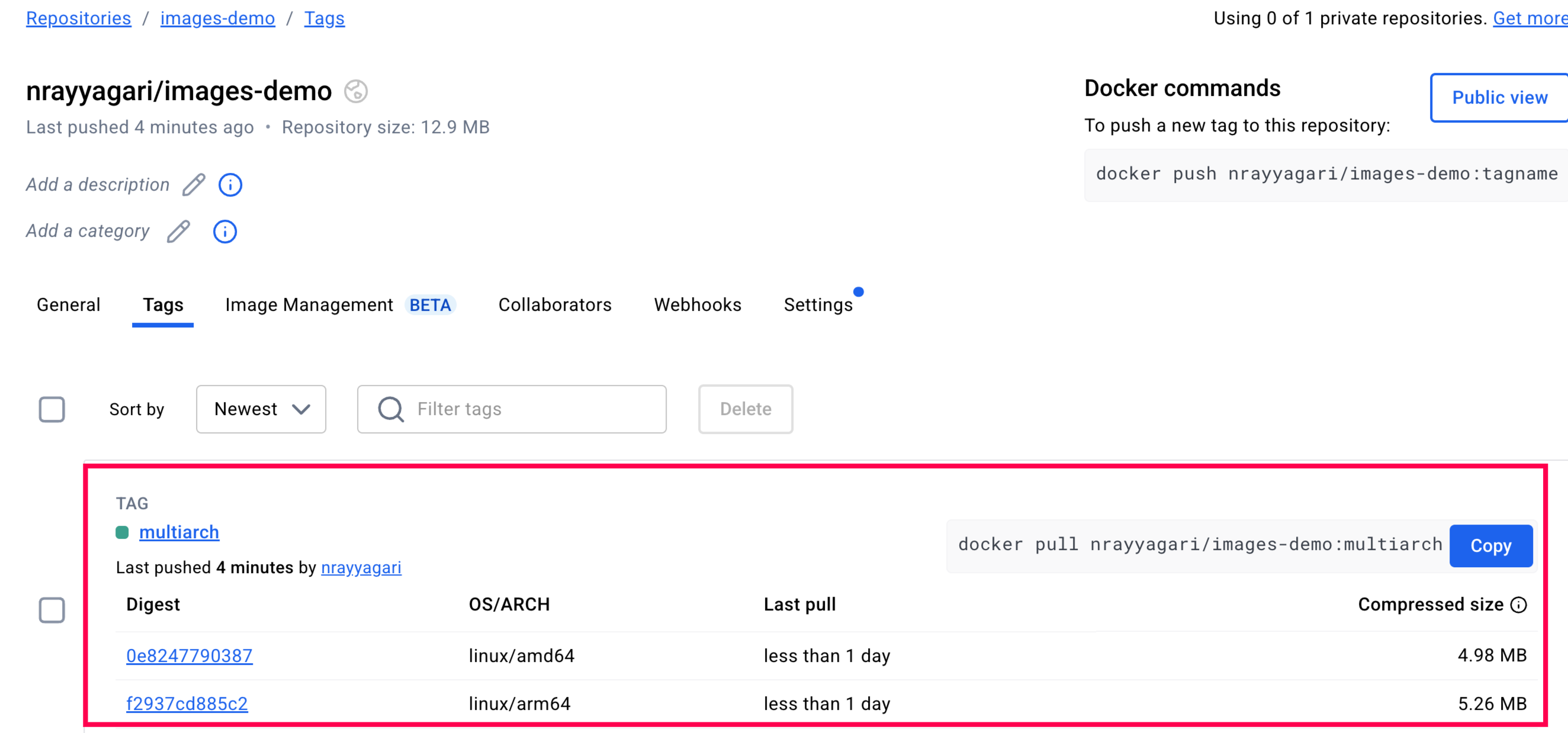
- groups the images behind one tag as an image index
- pushes the index and both images to the registry
#Understanding the Registry Structure
Inspect the image index in the registry:
docker buildx imagetools inspect docker.io/<your-namespace>/myapp:multiarch
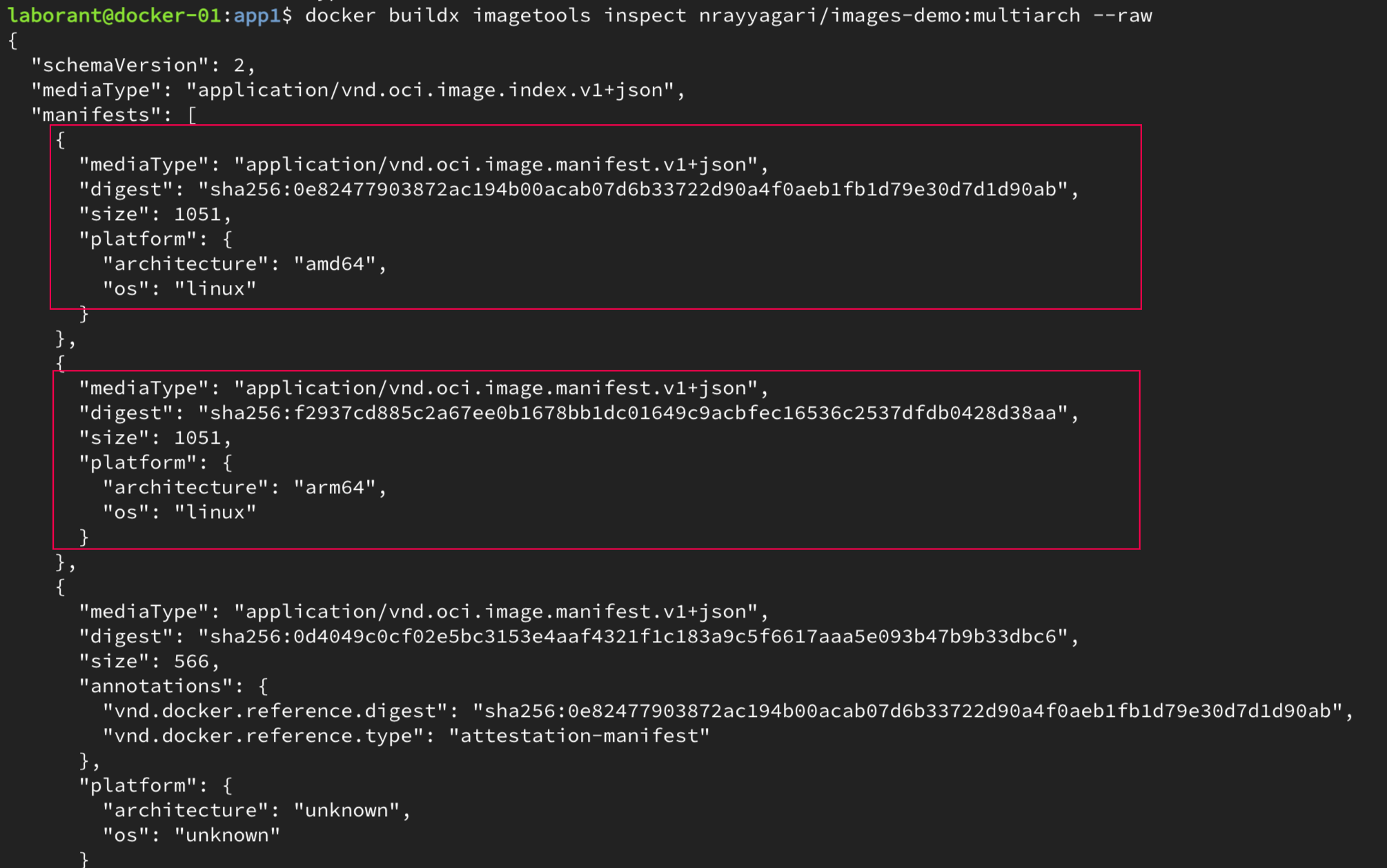
The output contains three useful parts:
- The OCI image index is the single entry point for the multi-architecture image. It references each platform-specific manifest.
- Each manifest describes one platform image, such as
linux/amd64orlinux/arm64, including its layers. - Each platform image has its own SHA256 digest. Those digests identify the exact image and allow registries to cache layers efficiently.
#Running Multi-Architecture Images
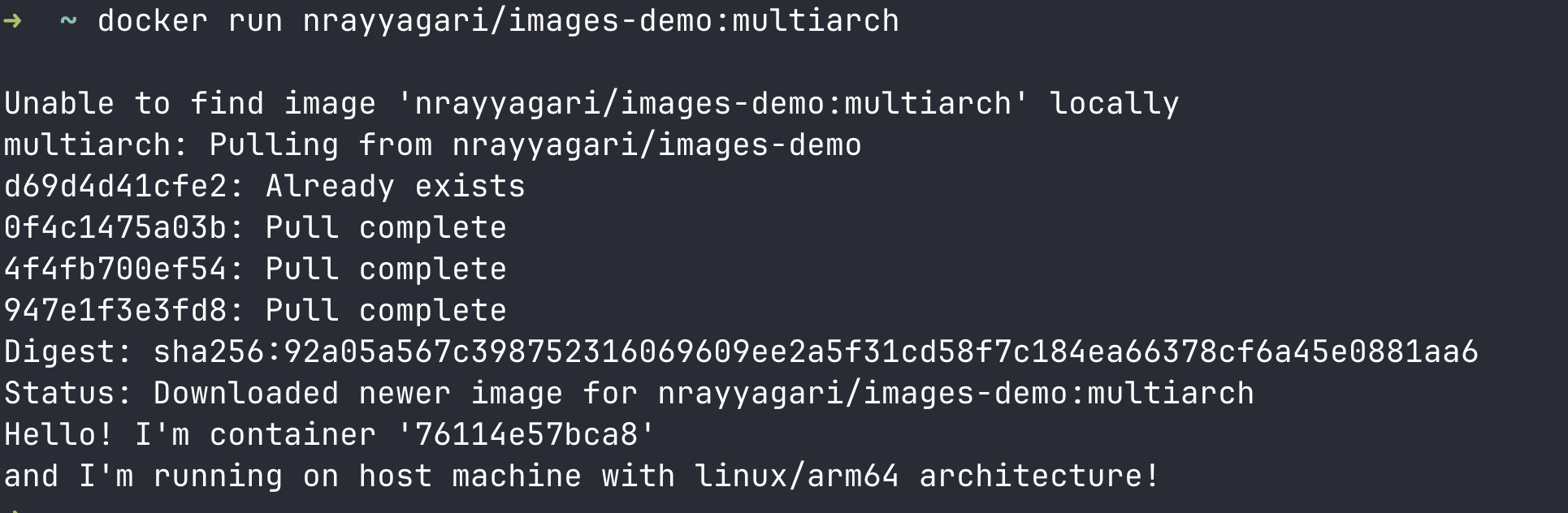
Run the same tag on different hosts:
docker run docker.io/<your-namespace>/myapp:multiarch
On an ARM64 host, Docker selects the ARM64 image:
Hello from linux/arm64!
This process is running on: arm64
On an AMD64 host, it selects the AMD64 image:
Hello from linux/amd64!
This process is running on: amd64
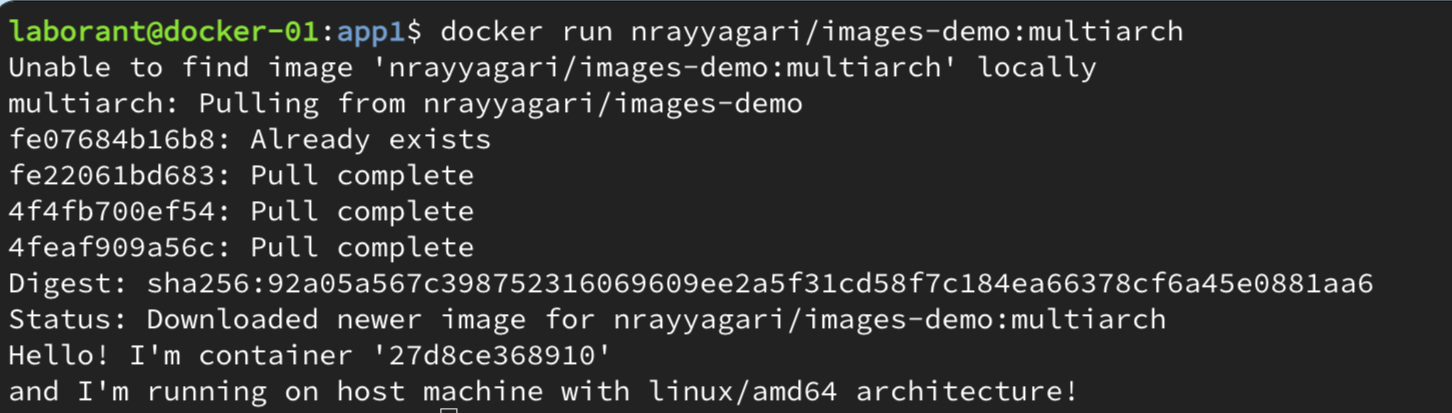
Docker makes that selection in four steps:
- It fetches the image index from the registry.
- It selects the manifest that matches the host platform.
- It downloads only the layers for that platform.
- The container runs natively, without emulation.
#Constraints and Trade-offs
Multi-architecture images solve CPU compatibility. They do not make an application portable when its dependencies are architecture-specific.
- Applications with proprietary x86-only dependencies still need x86 hardware.
- Legacy applications with hard-coded architecture assumptions may need code or dependency changes first.
Building more platforms also has a cost:
- Build time increases because each target platform needs its own build.
- Registry storage increases because each platform has its own layers.
- Scan and test every platform variant, not just one of them.
#GitHub Actions CI/CD Pipeline Integration
After the local build works, automate it in CI. This GitHub Actions example logs in to Docker Hub, prepares QEMU and Buildx, then publishes both platforms:
- name: Log in to Docker Hub
  uses: docker/login-action@v4
  with:
    username: ${{ vars.DOCKERHUB_USERNAME }}
    password: ${{ secrets.DOCKERHUB_TOKEN }}

- name: Set up QEMU
  uses: docker/setup-qemu-action@v4

- name: Set up Docker Buildx
  uses: docker/setup-buildx-action@v4

- name: Build and push
  uses: docker/build-push-action@v7
  with:
    platforms: linux/amd64,linux/arm64
    push: true
    tags: docker.io/<your-namespace>/myapp:latest
Use the same pattern for another registry by replacing the login step and image tag.
#Conclusion
Multi-architecture images do not create one universal binary. They publish native images for each platform behind one tag, so Docker can choose the right one at pull time.
Use them when you build on one architecture and deploy on another, or when users may run your image on both AMD64 and ARM64. The additional build and registry cost buys predictable, native execution.